

Giving new users a clear path to protect their digital lives.
Password managers put stronger security within reach, but setup can be concept-heavy. When trying 1Password, everyday people (your parents, your coworkers… looking at you, Mom) were abandoning in frustration.
Over two years, I led the creation of a vision and strategic roadmap that clarified why users struggled, aligning the org around a clear new user journey that focused on getting new users to the moment they actually feel value: autofill.
Our evidence-driven direction led 1Password to staff two cross-platform engineering crews, where I led design across multiple teams and oversaw end-to-end execution across the roadmap.
Trial-to-paid conversion
3,600bps
Support traffic
5,000bps
Extension adoption
1,500bps
User satisfaction
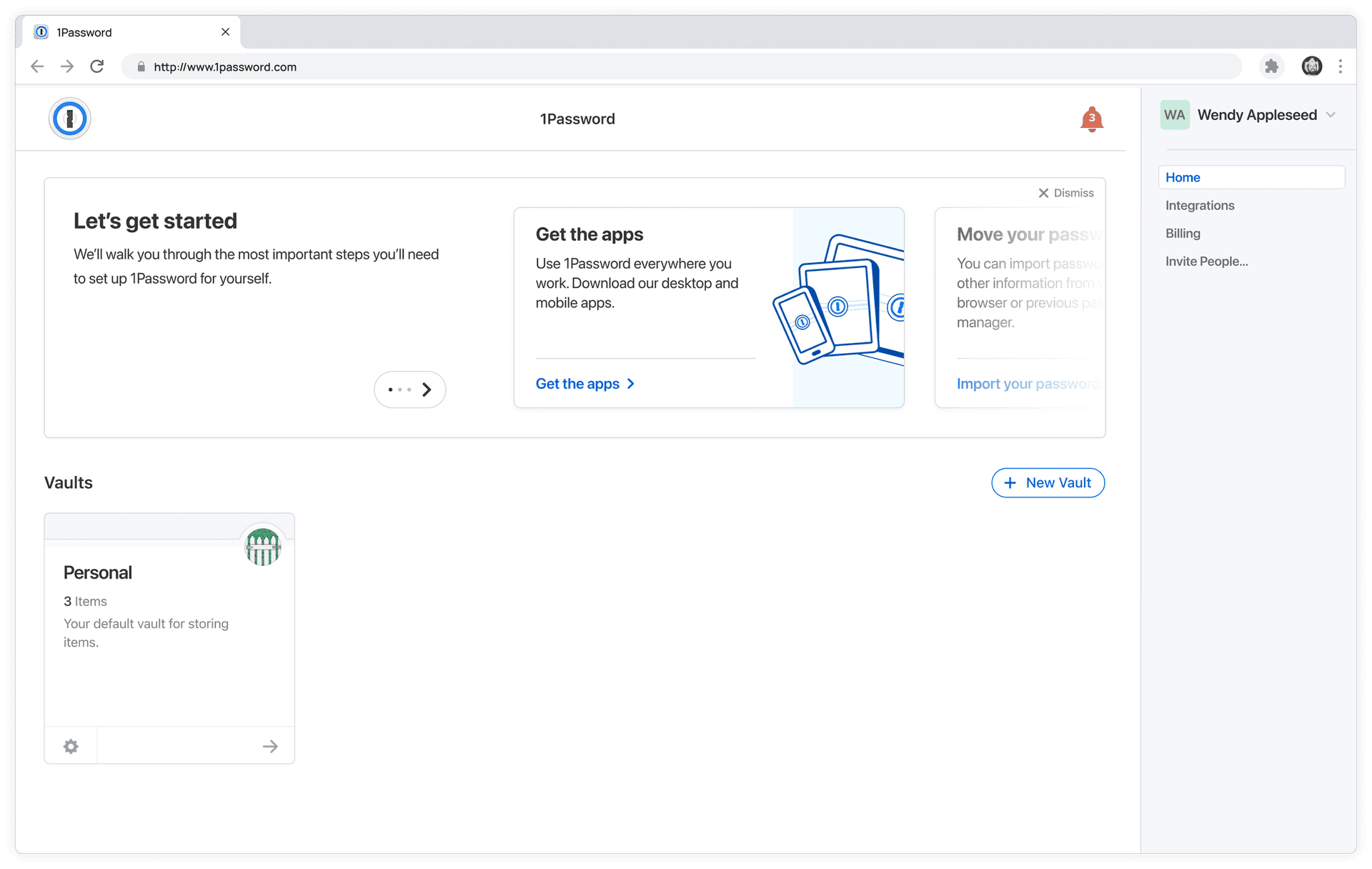
Before: From signup to... abandonment.
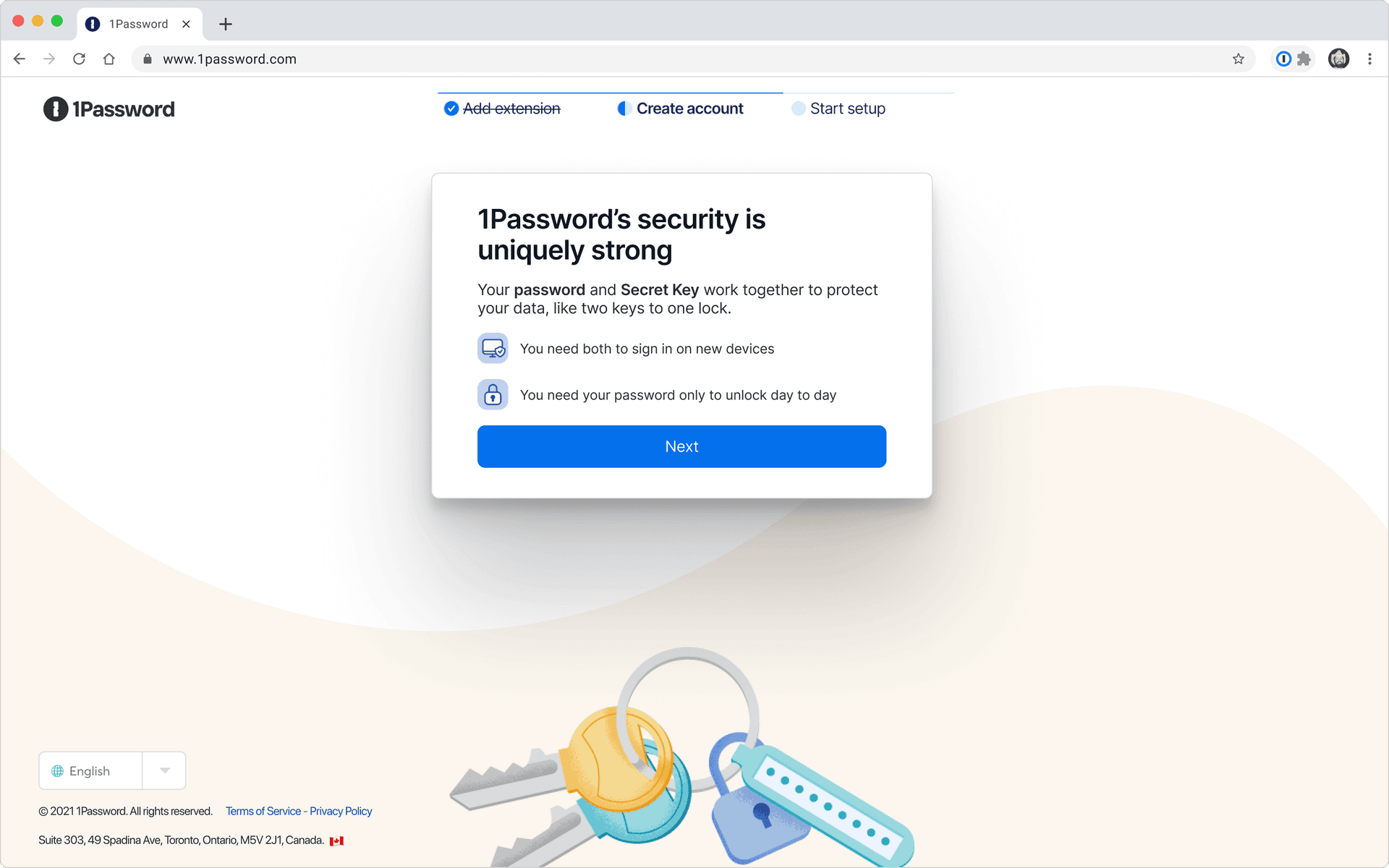
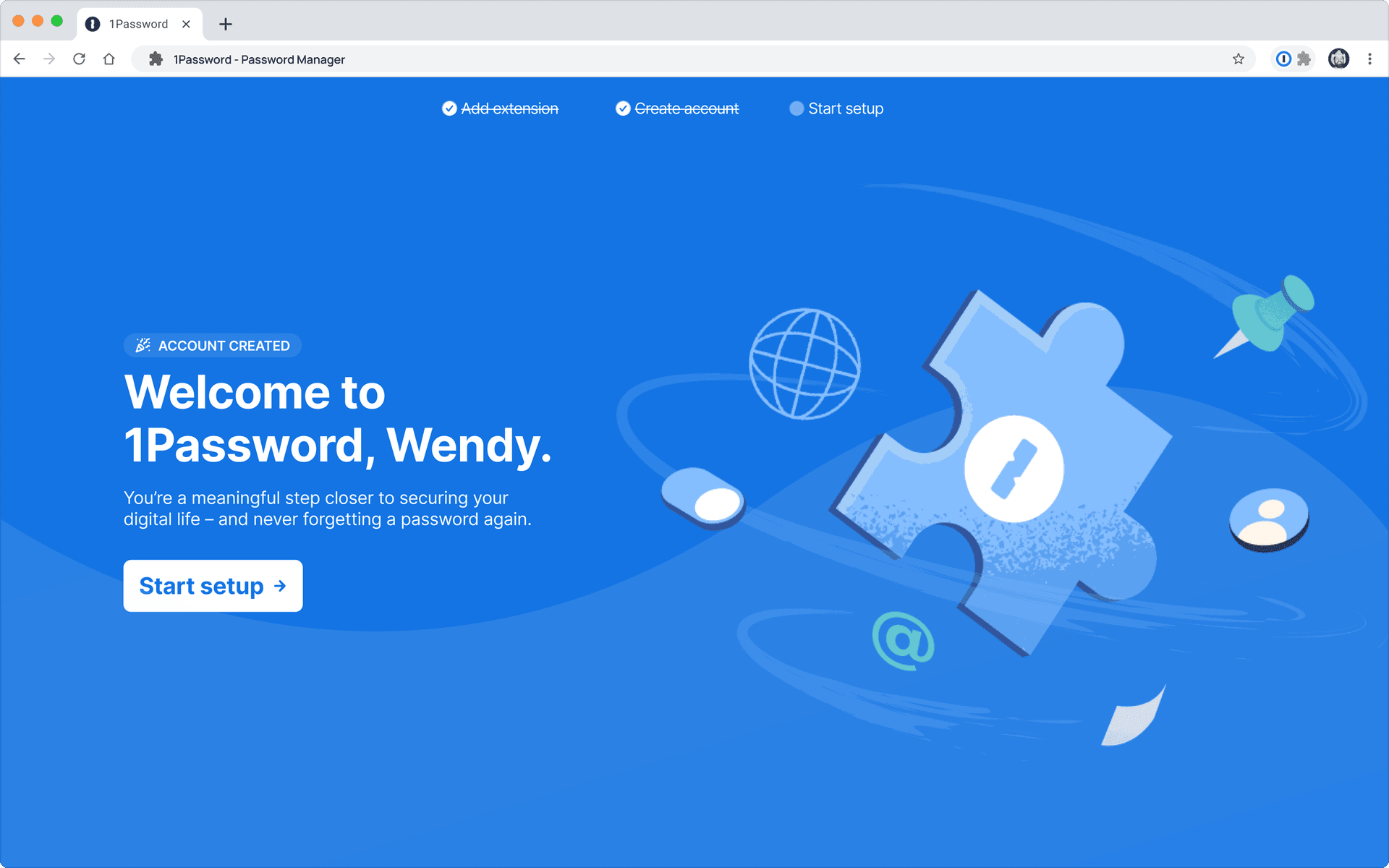
After: One shot from signup to autofill
Demystifying the problem space and forming a strategy
1Password was (and is) extremely sticky once people get comfortable: churn is nearly zero.
The magic of autofill is self evident... if experienced.
Password
The problem was that many people never cleared the initial hurdle of "getting comfortable." In the wild and inside the company, plenty of us had tried (and failed) to help friends and family get set up.
The business saw red flags: Individual plan conversion (trial to paid) dropped from ~50% to ~24% (-2,600 bps). Our hypotheis: as password managers became more mainstream, more less tech-savvy users tried (and failed) to adopt. Leadership knew this was critical, but lacked a clear understanding of why users were struggling.

How we made the problem legible
We collaborated to identify why new users floundered in early setup through 10 one-hour observational interviews with first-time users, supplemented by Support team interviews, thousands of community posts/tickets, and competitive audits across 20+ direct and indirect competitors.
At the time, there was very little quantitative data available (account conversion was the only available figure) so we leaned hard on qualitative signals and scrappy measurement where we could.
We focused on "end users": consumer customers (individuals and families) plus B2B account joiners (employees using 1Password at work). In other words: everyone except business admins.
Core finding: the issues were bigger than signup
Research uncovered 20 primary pain points plus countless smaller issues. It was "death by a thousand paper cuts" where most users hit multiple trust-eroding problems early on.
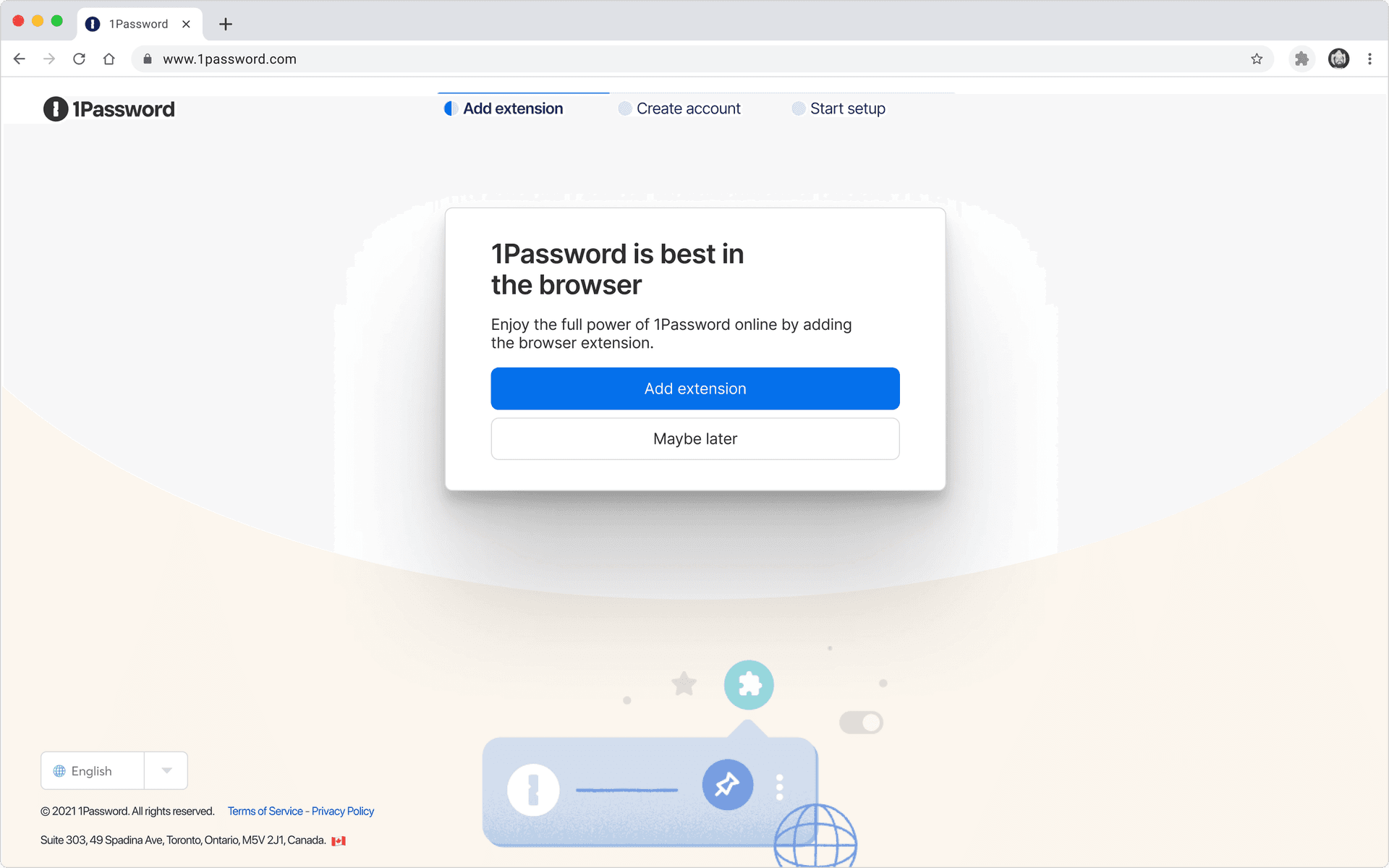
One prominent example: the browser extension is essential for autofill on the web, yet 8 of 10 interview participants skipped adding it because they assumed it was optional.
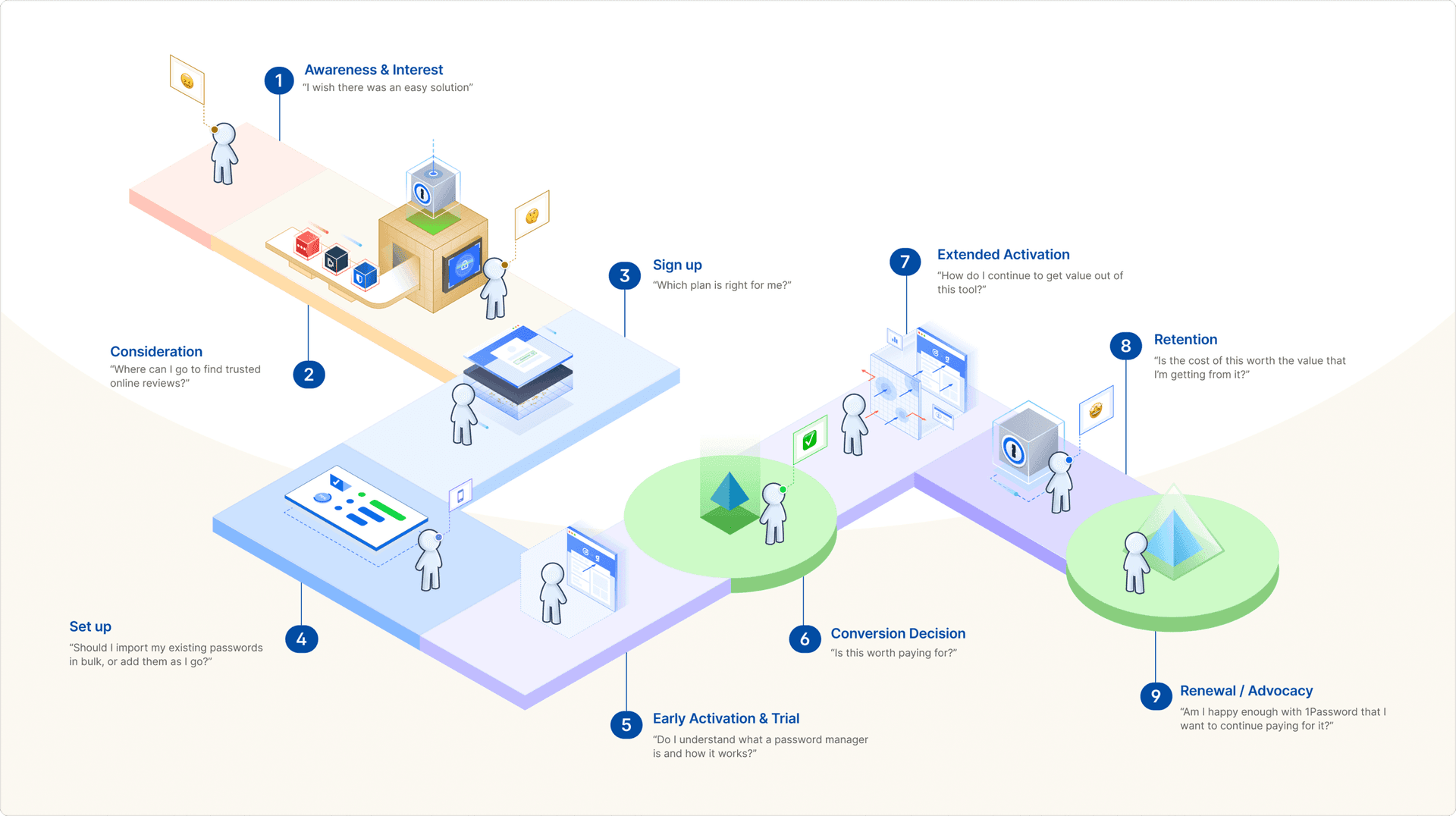
Despite being nearly two decades old, 1Password had no formal concept of lifecycle phases. I introduced and aligned the org around a first pass at the user journey: distinct, measurable phases that made it possible to talk about onboarding vs. activation vs. retention using shared language.

Alignment artifacts that guided strategy
I ran and synthesized a multi-day workshop with Product and Research, with async input from Marketing and Support, to build a cohesive viewpoint of onboarding across platforms.
Out of that came a durable problem statement and vision statement that kept the work grounded (and stayed relevant as 1Password shifted more toward businesses and employees):
Problem
Users lack a clear path to value and don't understand the steps needed to feel confident, leaving them unsure 1Password is worth the effort.
Vision
A value-first path that helps every user gain quick confidence through clear, contextual, easy-to-complete actions.
Those evidence-backed statements (and early results) helped drive leadership investment: 1Password staffed two cross-platform engineering crews devoted to the vision over the next two years.

Turning strategy into shipped impact
I used journey mapping to connect issues to phases. Most abandonment happened during setup, so it became the natural focus. Guiding principle: "You can't retain users who never get comfortable enough to pay for the product."
From there, we connected phases to jobs-to-be-done and in-app actions, then validated what actually creates "value" for users. The consistent narrative: users don't truly feel 1Password's value until they autofill something. To reach that point, they need:
- The right tool on each platform
- An understanding of autofill
- Passwords and other data moved into 1Password
To keep "aha moment" from turning into a hand-wavy buzzword, I helped define a framework tying qualitative value (what people feel) to quantitative outcomes (conversion factors) and the product actions that connect the two.
Customer value
Product actions
Conversion factors
Business value
Setting users up for success: Repositioning the Browser Extension
Shipped: 2023 (B2C) and 2024 (B2B)
Platforms: Web, Web Extension
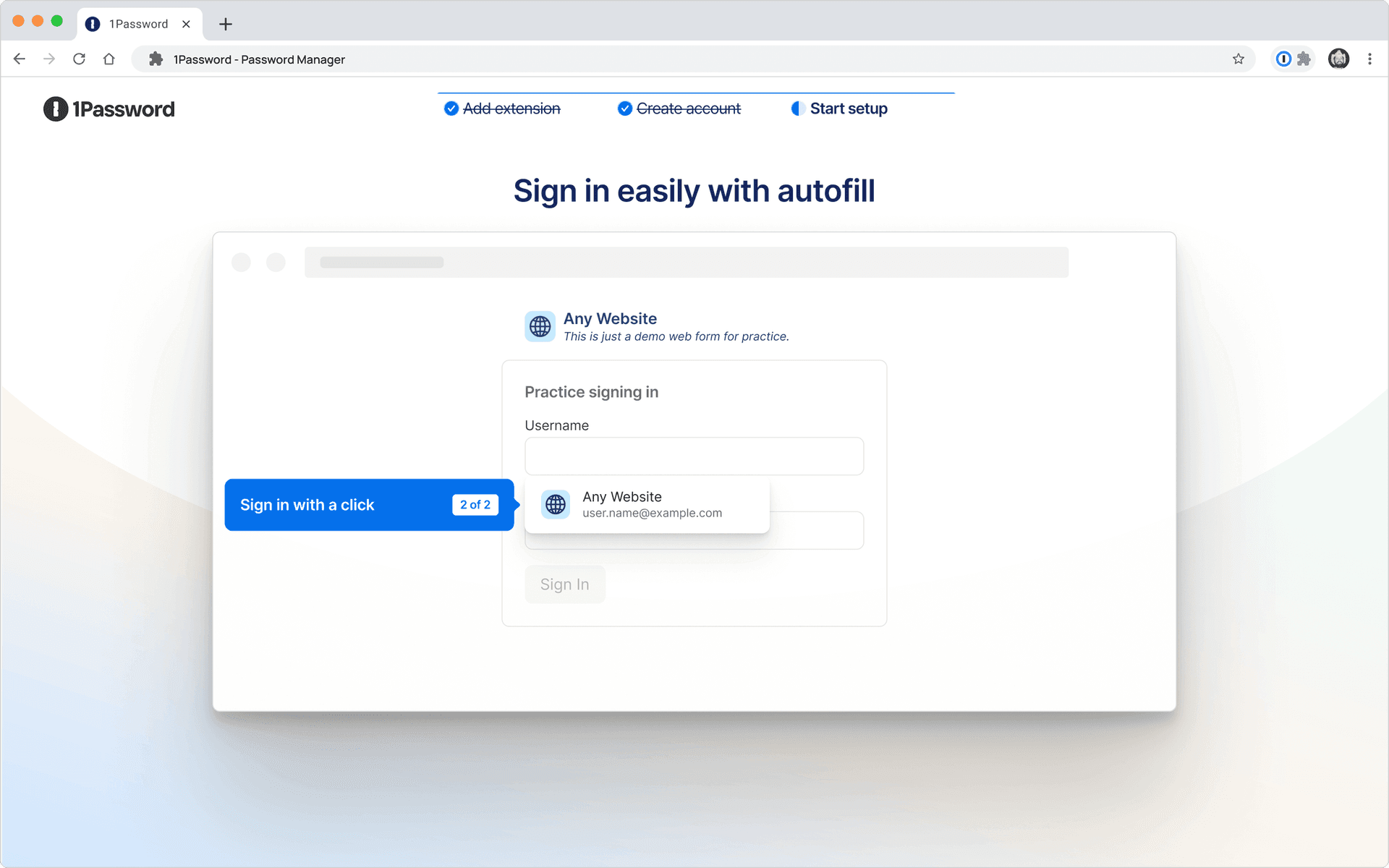
Most users begin on desktop web, where the extension is required to autofill. Many saw it as optional though - they didn't install it, and were less likely to convert. We improved outcomes by requiring new users to add the extension before creating an account, reframing the extension as the product itself.
Extension adoption
1,500bps
Signup conversion
Paid conversion
Learning by doing: Interactive tutorials
Shipped: Jan 2022 (Browser extension), Dec 2023 (Mobile)
Platforms: Browser extension, iOS, Android
Setup entails multiple steps and new concepts, especially for first-time password manager users. Before users understood benefits, many lacked patience for onerous setup and weren't sure how to proceed after signup. We improved outcomes by adding a "no-data-required" interactive tutorial that let users experience autofill immediately after account creation.
User satisfaction
Admin feedback
Making migration easier: Import tools and guidance
Shipped: 2024–2025
Platforms: iOS, Android, Web, Browser Extension, Desktop App
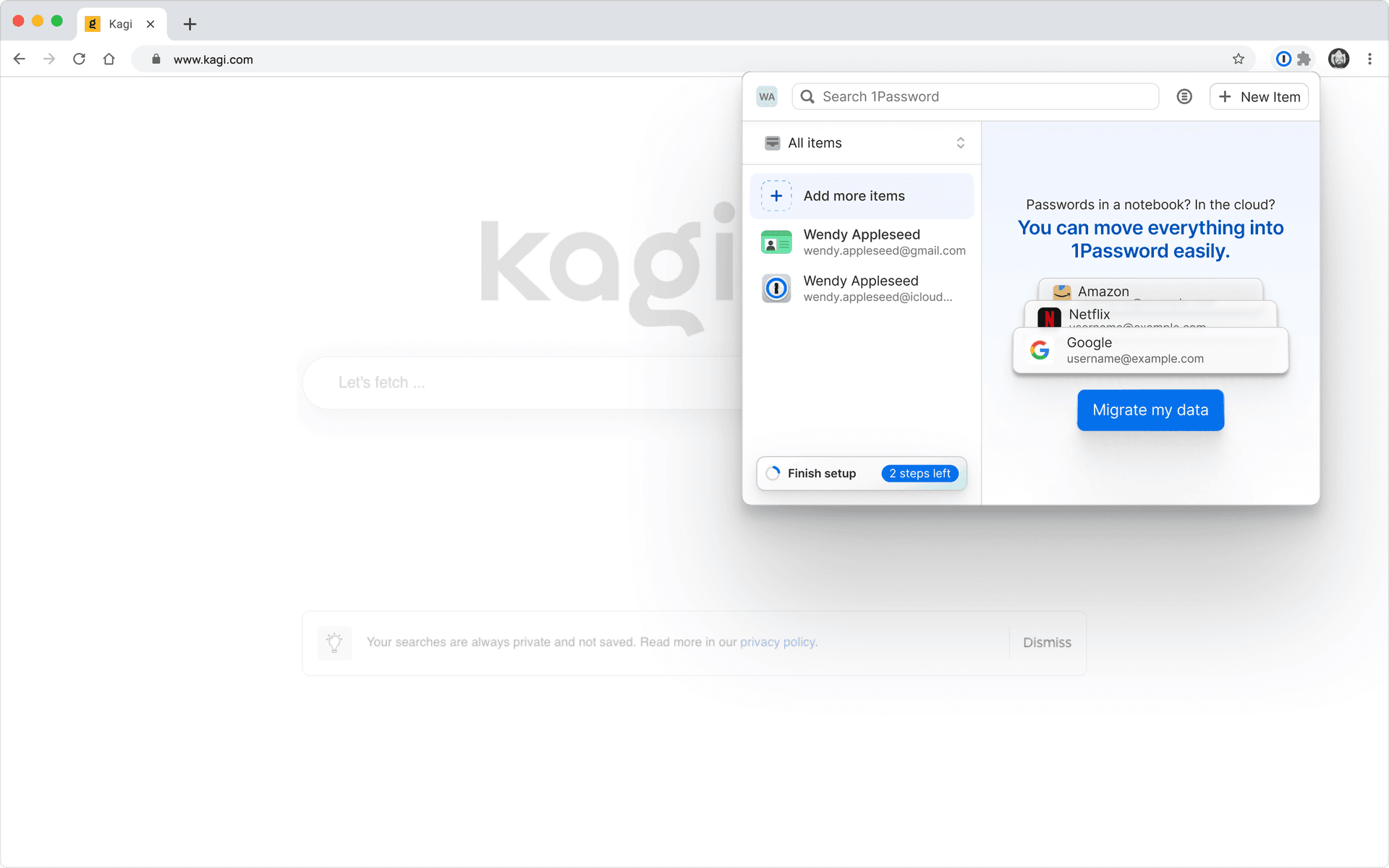
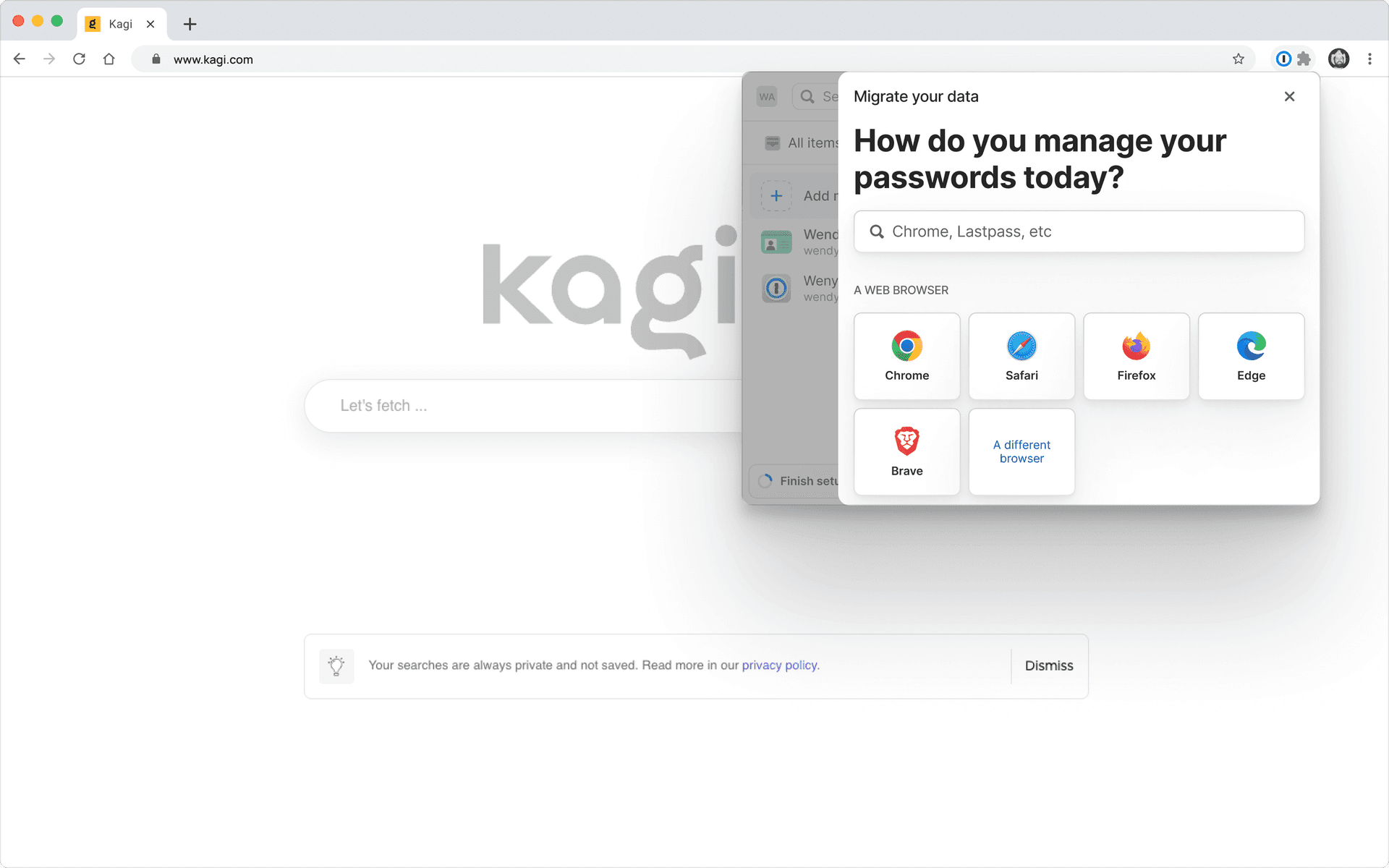
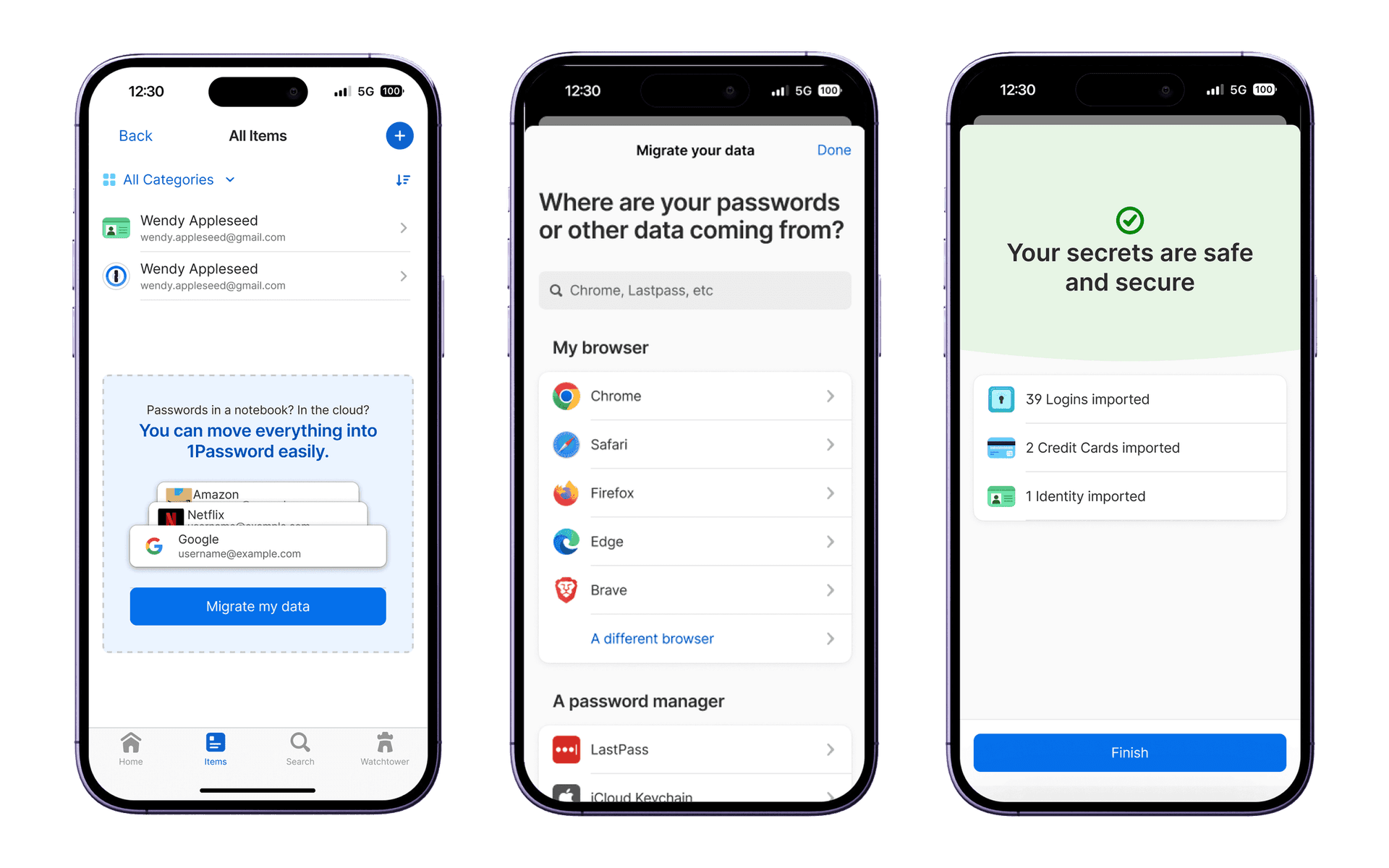
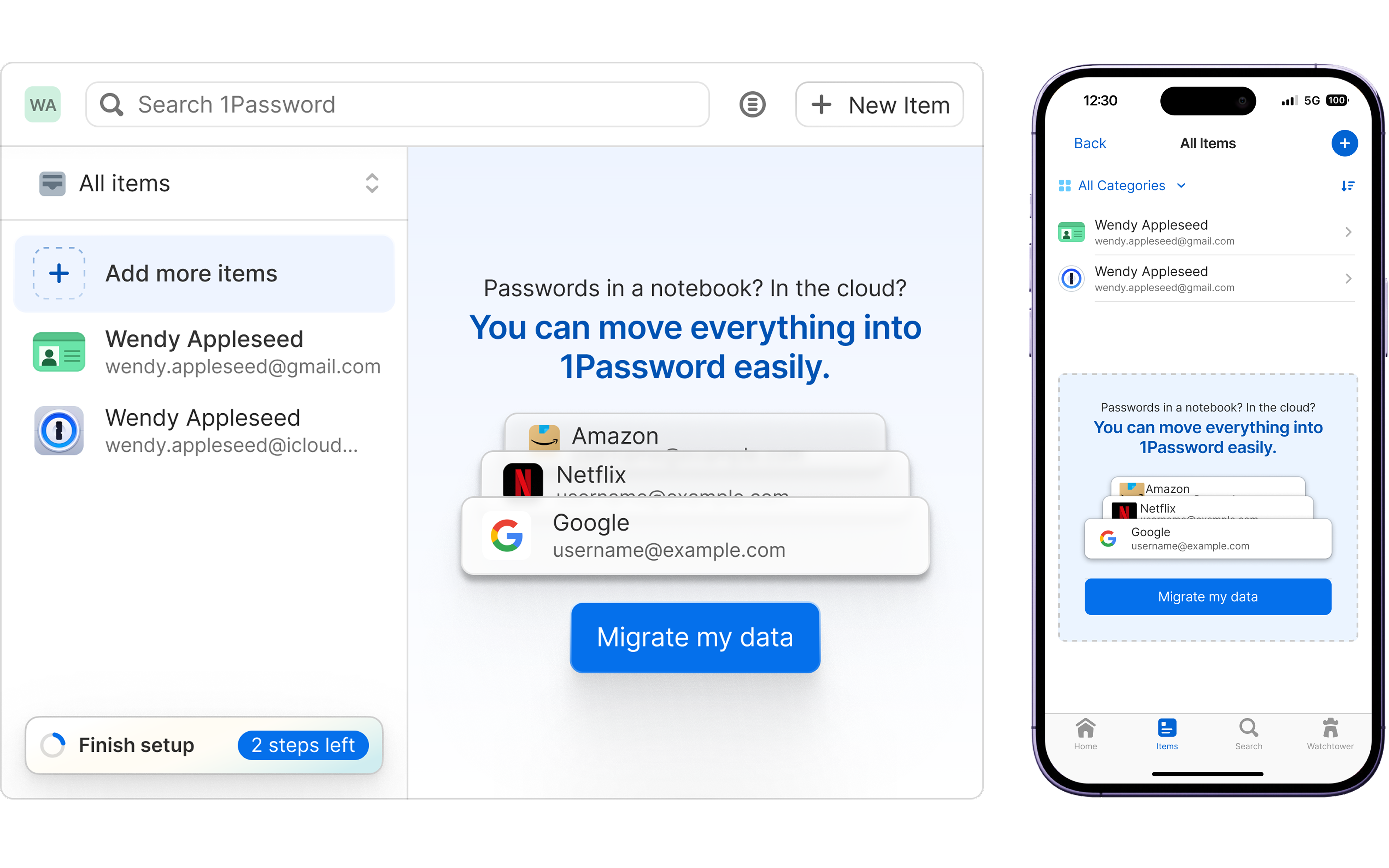
1Password isn't useful unless users add items. Many struggled to migrate data (from other managers, browsers, or their memory) or had to jump between devices due to platform parity gaps, leading to drop-off. We improved outcomes by adding highly visible, context-aware import guidance on every platform, while pushing toward functional parity across platforms.
Import support traffic
5,000bps
Data added during trial
600bps
Bringing it all together
We iteratively shipped an end-to-end journey from signup to first autofill across every major platform. In moderated end-to-end usability tests, 100% of participants felt more confident proceeding with 1Password after trying the new flow – stark contrast to 2022, when many abandoned during setup.
Toward the end of my tenure, I consulted on onboarding challenges across the organization, culminating in a multi-month deep dive that shaped 1Password's 2025 self-serve business onboarding strategy.
Funnel metrics showed clear gains.
Extension adoption
1,500bps
Support traffic
5,000bps
Trial-to-paid conversion
3,600bps
I'm most proud of how I reframed onboarding across the organization, from an afterthought to a meticulously mapped lifecycle. That mindset shift didn't just improve metrics: it changed how exec leadership, Product, Engineering, Support, and Marketing approached adoption across all product areas.